Build an iPhone Sensing App Part 4: TestFlight, FLIR Approval, and the App Store
For the first year the app lived on two phones: a black one and a white one, both mine. Everyone else borrowed them. That worked until the 2024 season, when more than two people needed to collect data on the same days.
This post covers distribution. The main obstacle was a clause in the FLIR SDK licence rather than anything on Apple’s side.
Ad hoc or TestFlight
There are two practical ways to put an iOS build on someone else’s phone without the App Store, Apple compares them as follows:
| Ad hoc | TestFlight | |
|---|---|---|
| Device registration | Each tester’s UDID added to the developer account | None |
| Build limit | 100 devices per year, per device type | Up to 10,000 external testers |
| Review | None | Beta App Review for external testers |
| Expiry | Provisioning profile, one year | 90 days per build |
| Effort per new tester | Re-sign and redistribute | Send an email |
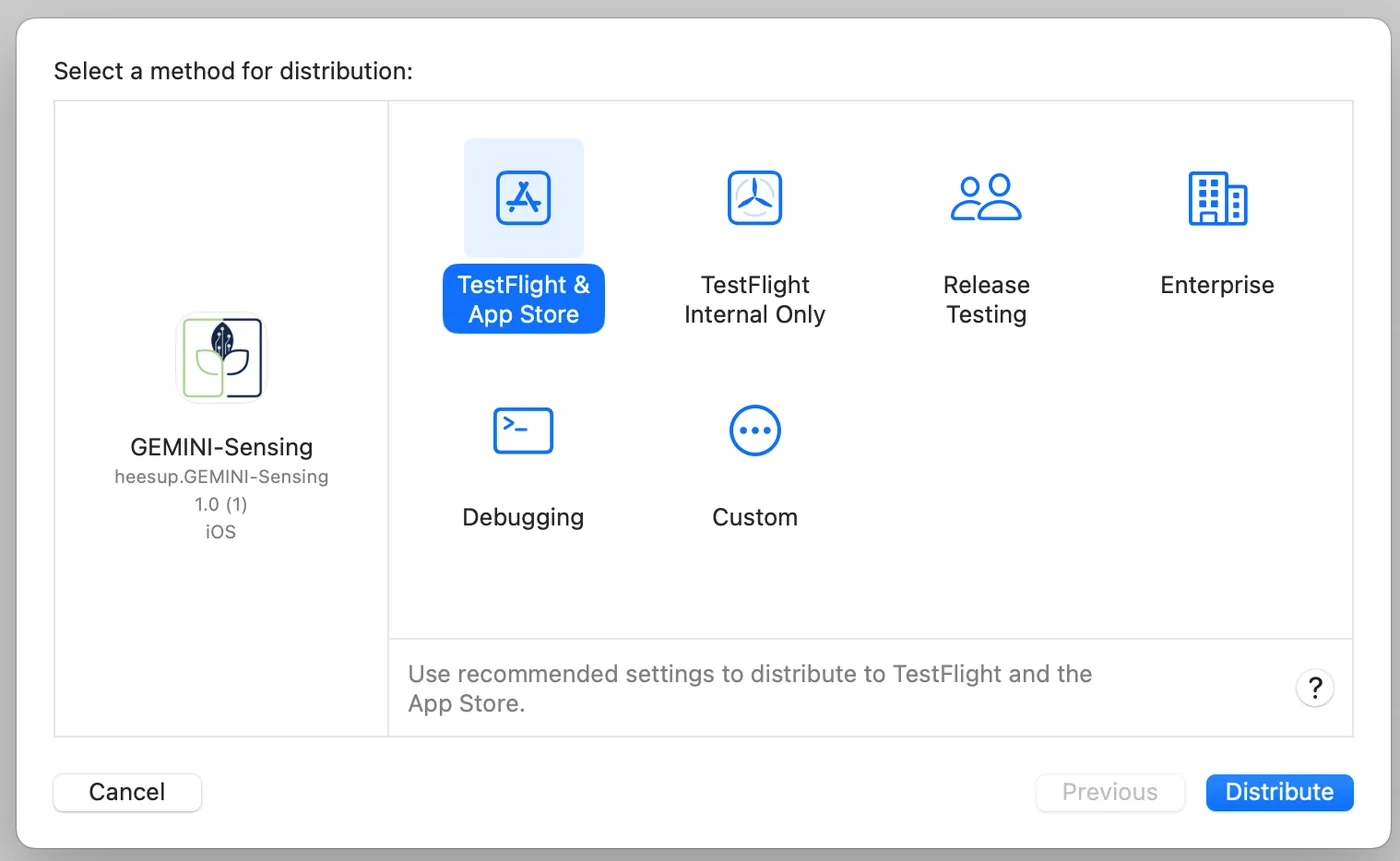
Ad hoc means collecting UDIDs from every phone, which is impractical for a rotating group of student workers, so I chose TestFlight.
The first TestFlight build
In January 2024 I set up an internal group called SensingTeam and uploaded build 1.0 (1).
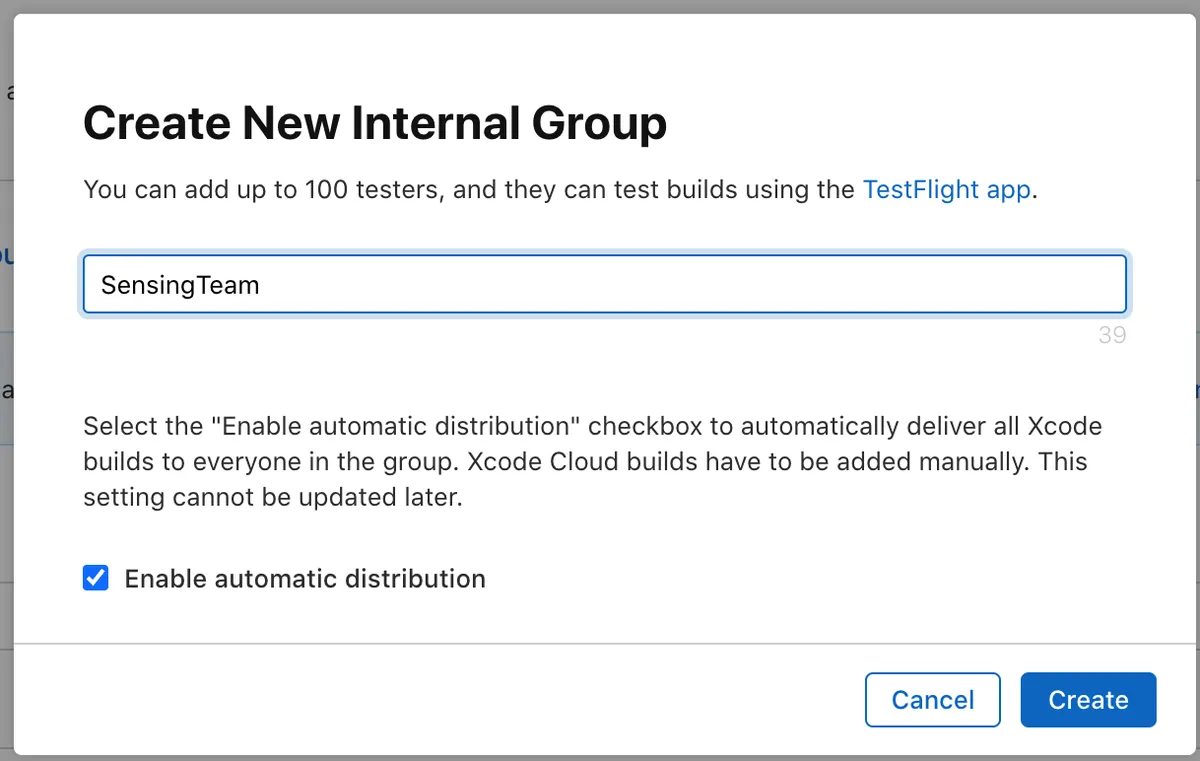
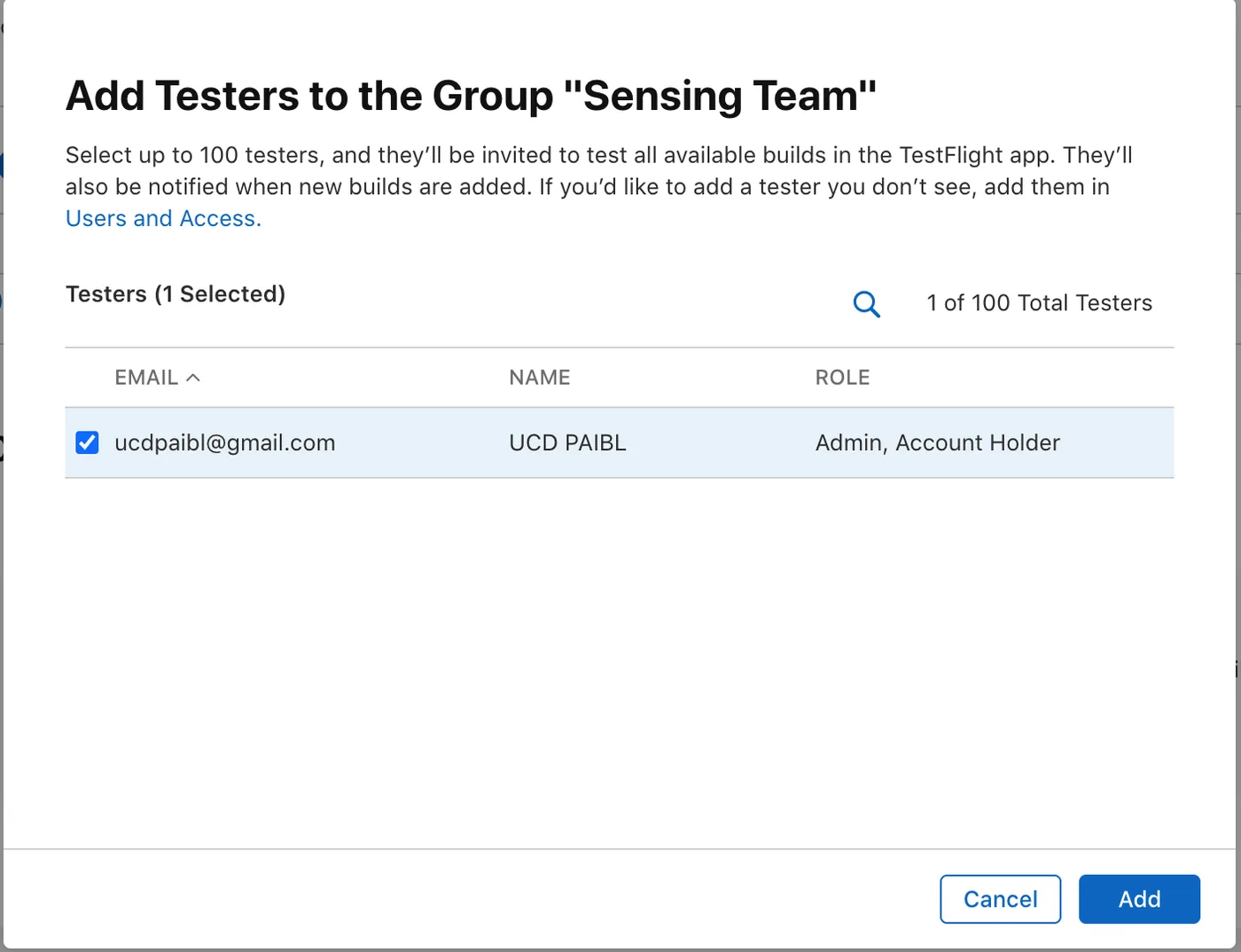
The first upload failed, and the Xcode message did not make the reason clear:
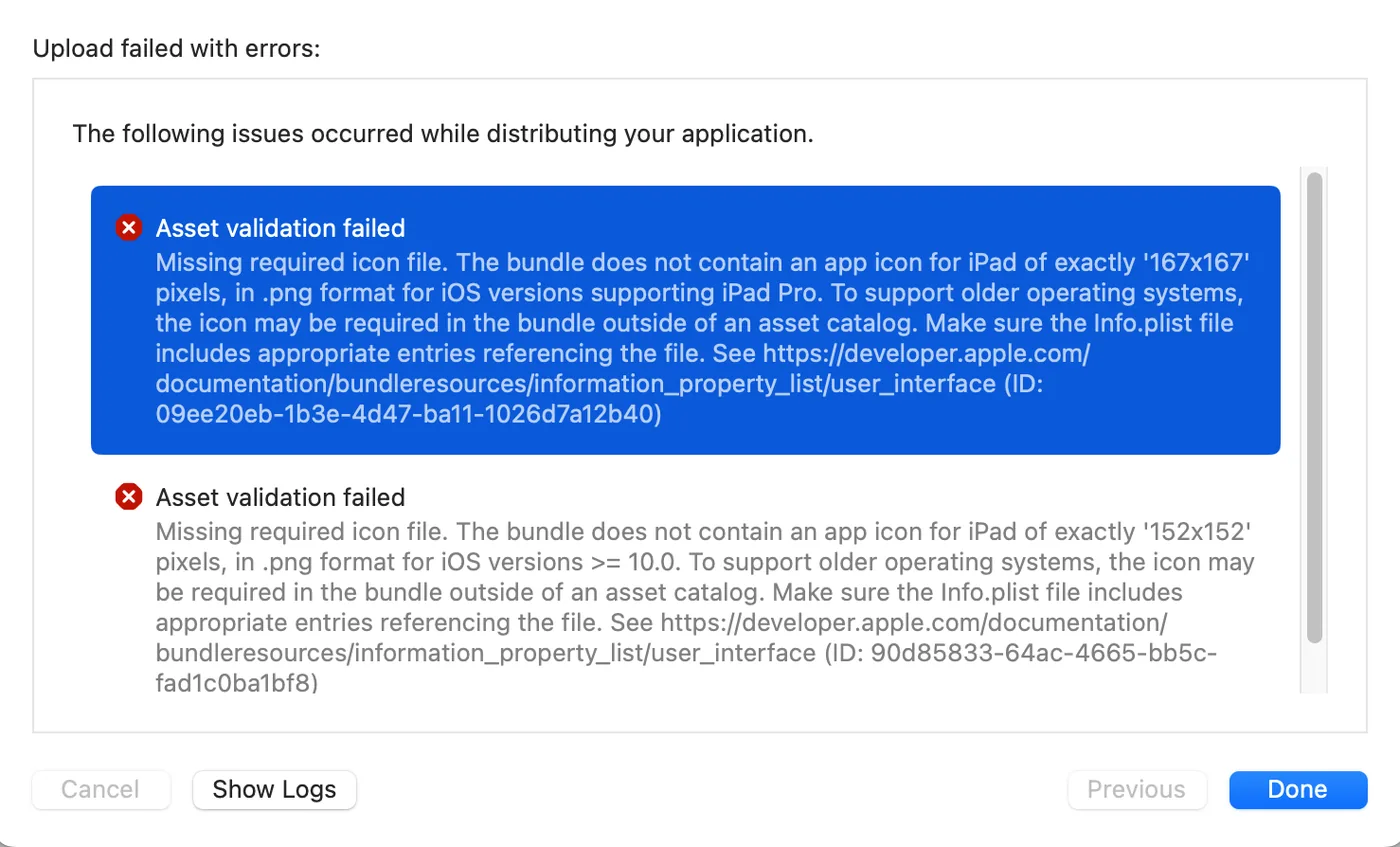
The fix is a single-size asset catalog entry rather than a folder of hand-cut sizes:
For each platform your app supports, choose between using a single size and providing all sizes in the Asset Catalog.
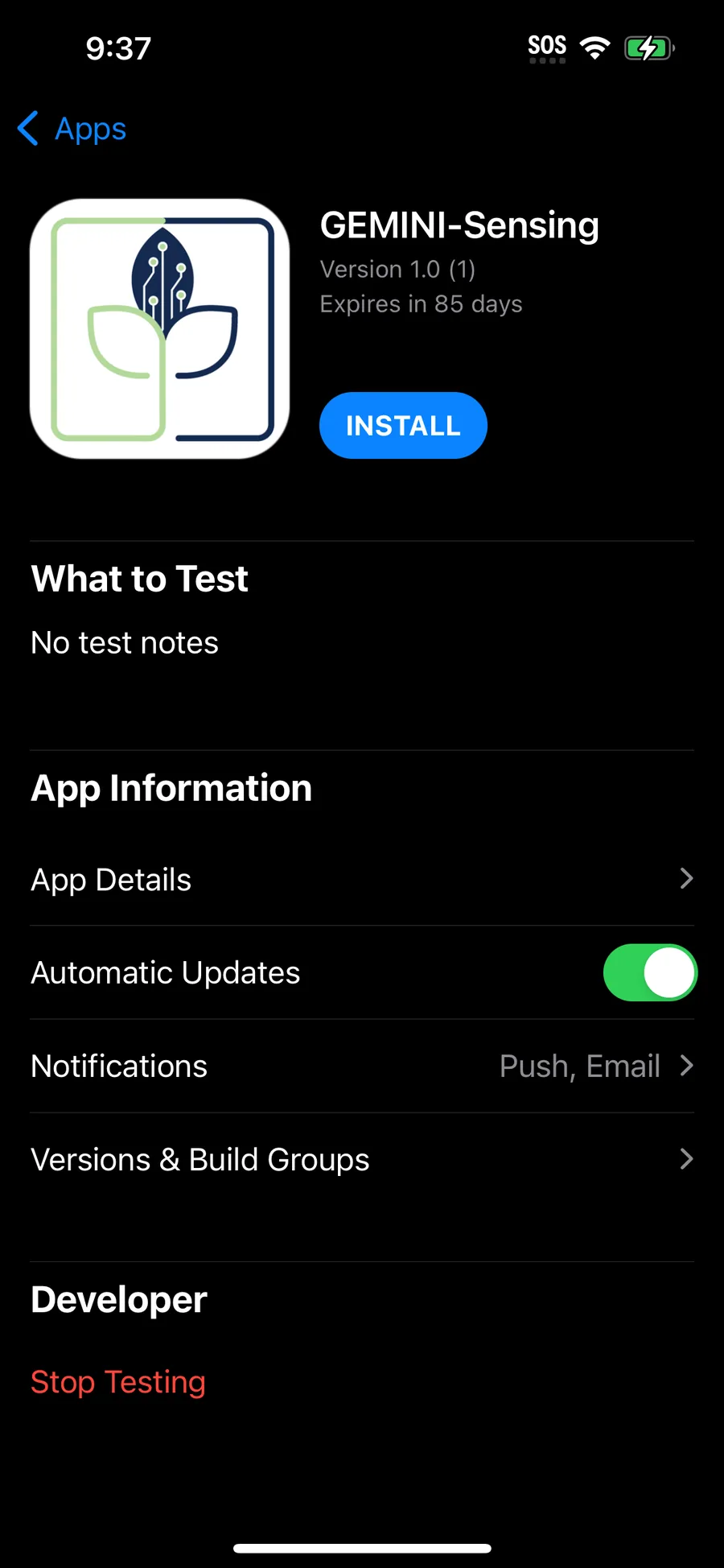
Once the icon was in place, the build appeared in TestFlight with a 90-day expiry and a 64.7 MB download:
The App Store attempt
In September 2025 I tried to submit version 1.0 for review. App Store Connect refused to start the process and listed everything still missing:
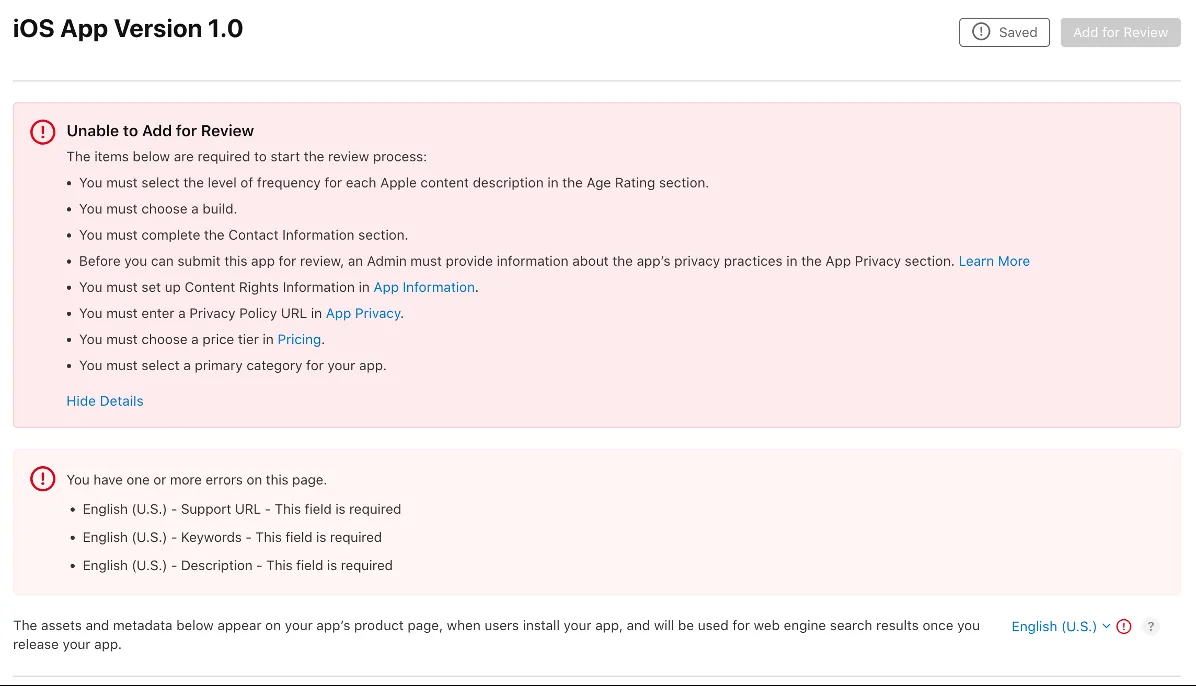
Most of the list is paperwork:
- Age rating frequency questions
- A selected build
- Contact information
- App privacy practices, answered by an admin
- Content rights in App Information
- A privacy policy URL
- A price tier
- A primary category
- Support URL, keywords, and description for the English (U.S.) localization
For the privacy policy, a single static page describing what the app collects is enough, and the App Store Connect help pages spell out the required sections.
The description and keywords were already drafted for the listing:
- Keywords: time lapse, FLIR One Pro, thermal camera, image data collection, science, engineering
- Support URL:
https://projectgemini.ucdavis.edu/
The FLIR licence
While preparing the submission I re-read the FLIR Mobile SDK licence. Section 5.1 says:
REVIEW AND APPROVAL BY FLIR IS REQUIRED BEFORE DISTRIBUTING APPS DEVELOPED USING THE SDK TO CUSTOMERS OR APP STORES.
The licence goes further: FLIR reserves the right to reject an app at any time, even one previously approved, and may require apps built with the SDK to display the FLIR logo by default.
Because the app uses a licensed SDK, its release depends on FLIR’s review. FLIR’s guidance describes the process:
Developers of apps that are intended to be released to the public are required under terms of the FLIR Mobile and FLIR ONE SDK license agreements to submit the apps to Teledyne FLIR for review and approval prior to making them available publicly.
The process runs through a support ticket: describe the app, explain how it uses the SDK, and provide a pre-release build for the review team to install.
I opened a ticket with FLIR’s Technical Support Center that described the project and the agricultural use case, and asked whether TestFlight distribution counts as public release. The answer decides whether the next build stays on TestFlight or goes to the App Store.
What has to be fixed before FLIR sees it
We agreed on three changes before submission:
- Display the FLIR logo, as the trademark clause allows FLIR to require.
- Rename output files to Unix timestamps. The
YYMMDD_IMG_XXXXXscheme is readable but ambiguous across devices and time zones. - Add a “continue in previous folder” option, so a session that spans a lunch break does not split into two directories.
What the app produces
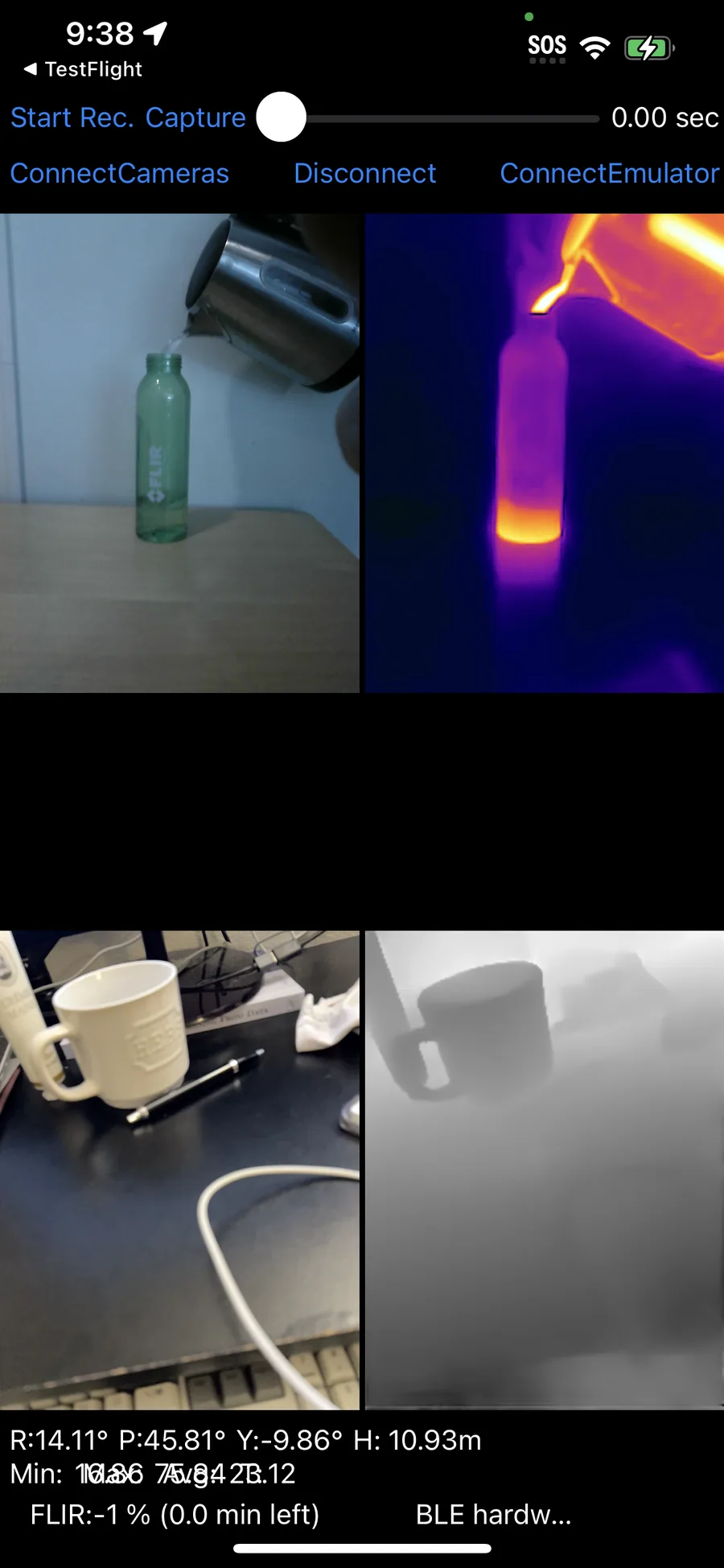
Frames from a 2025 field session show what the app records: RGB and thermal on top, RGB and depth below, with the GPS fix, the thermal statistics, and the weather station status at the bottom.
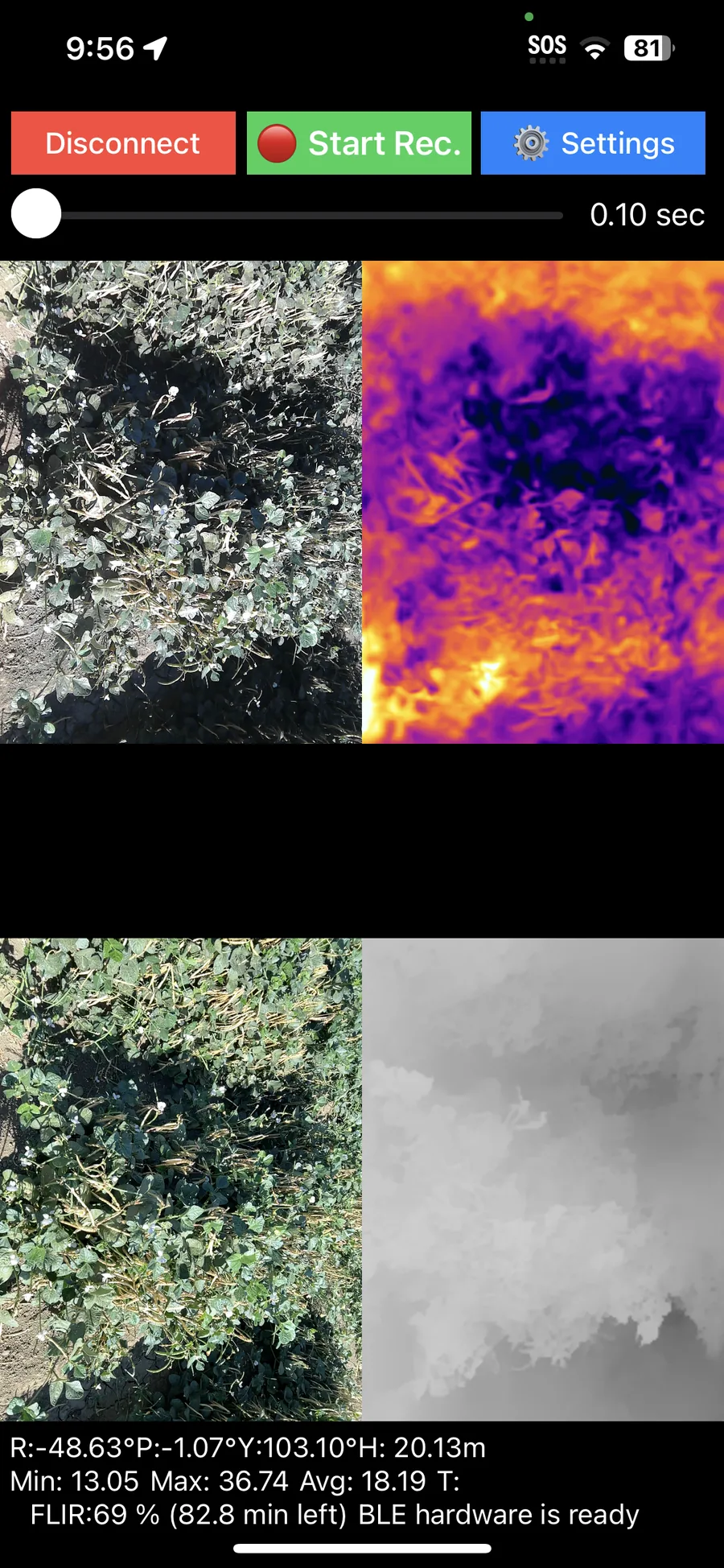
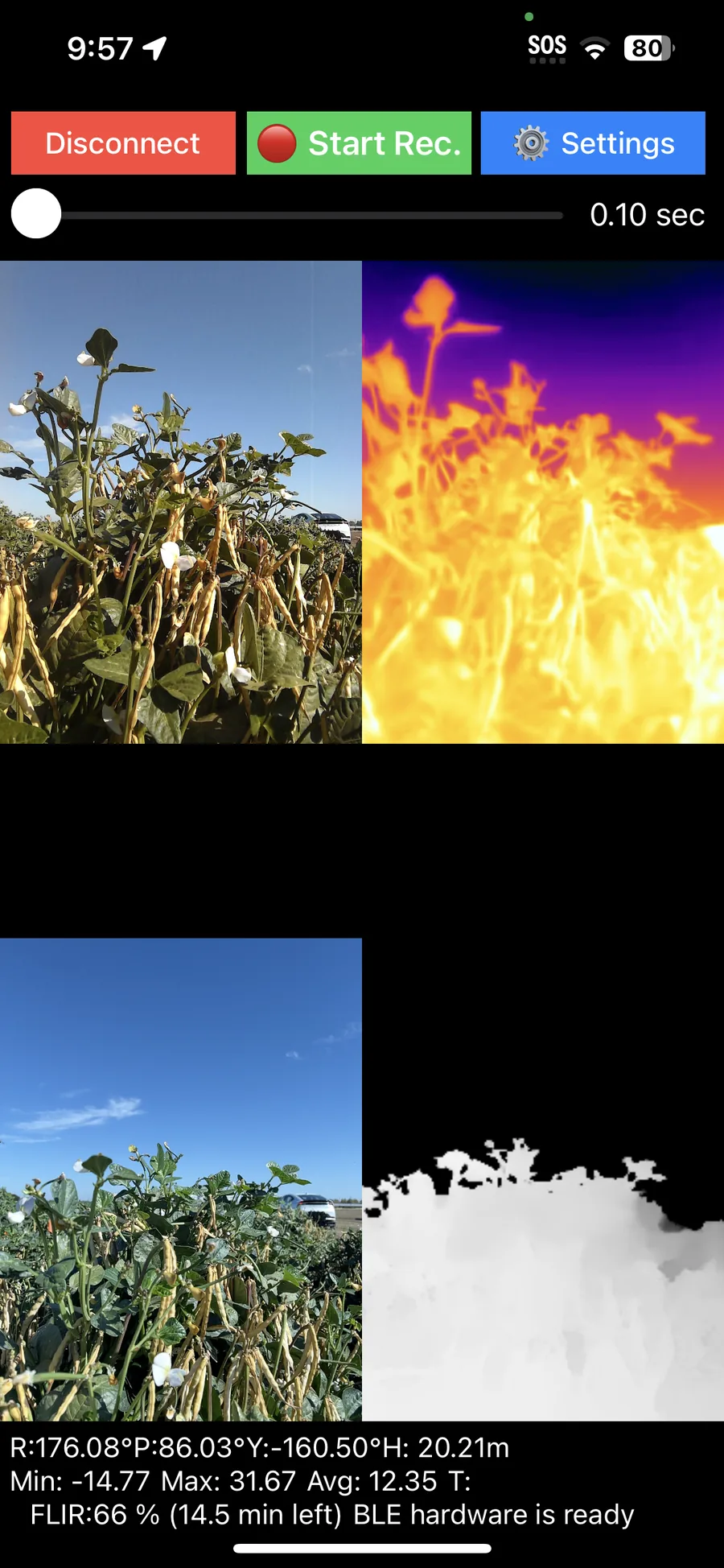
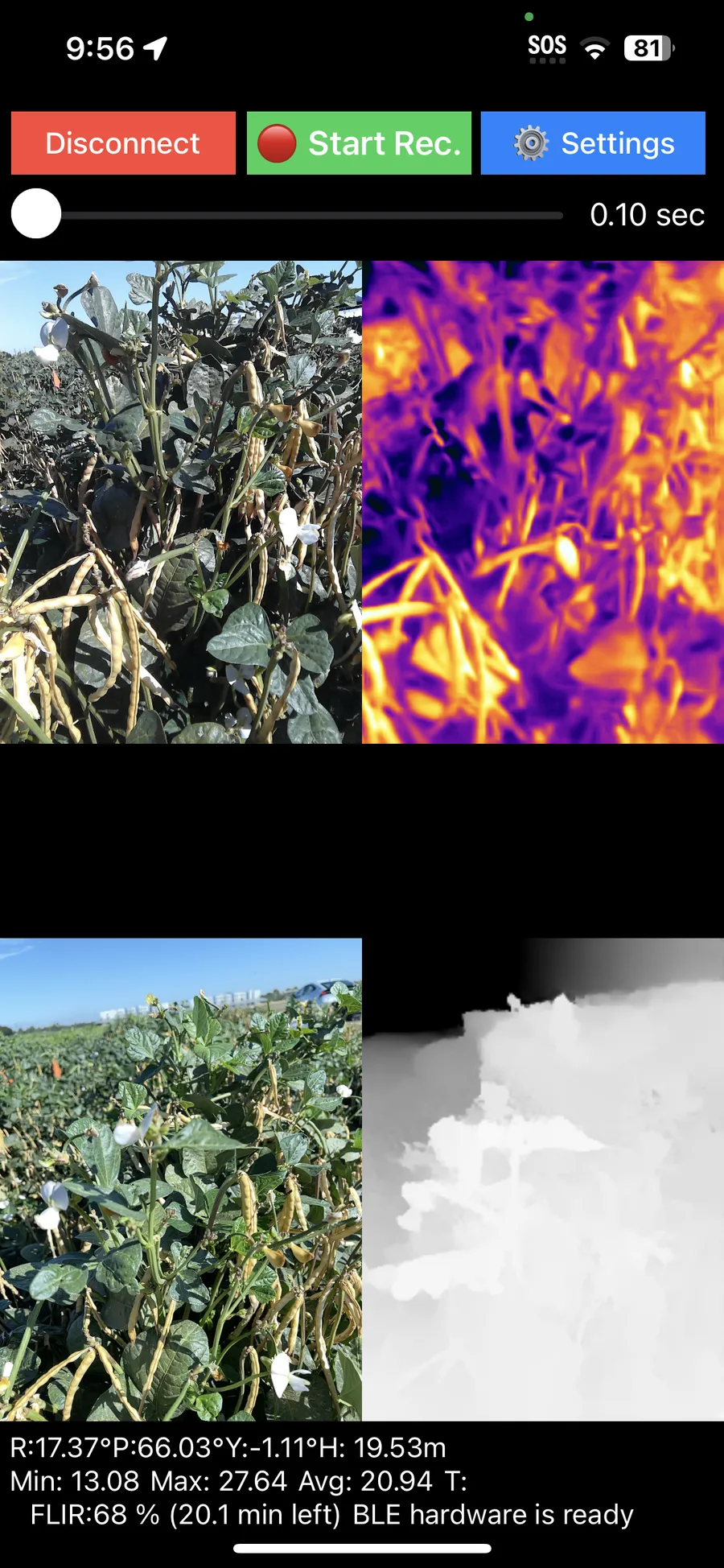
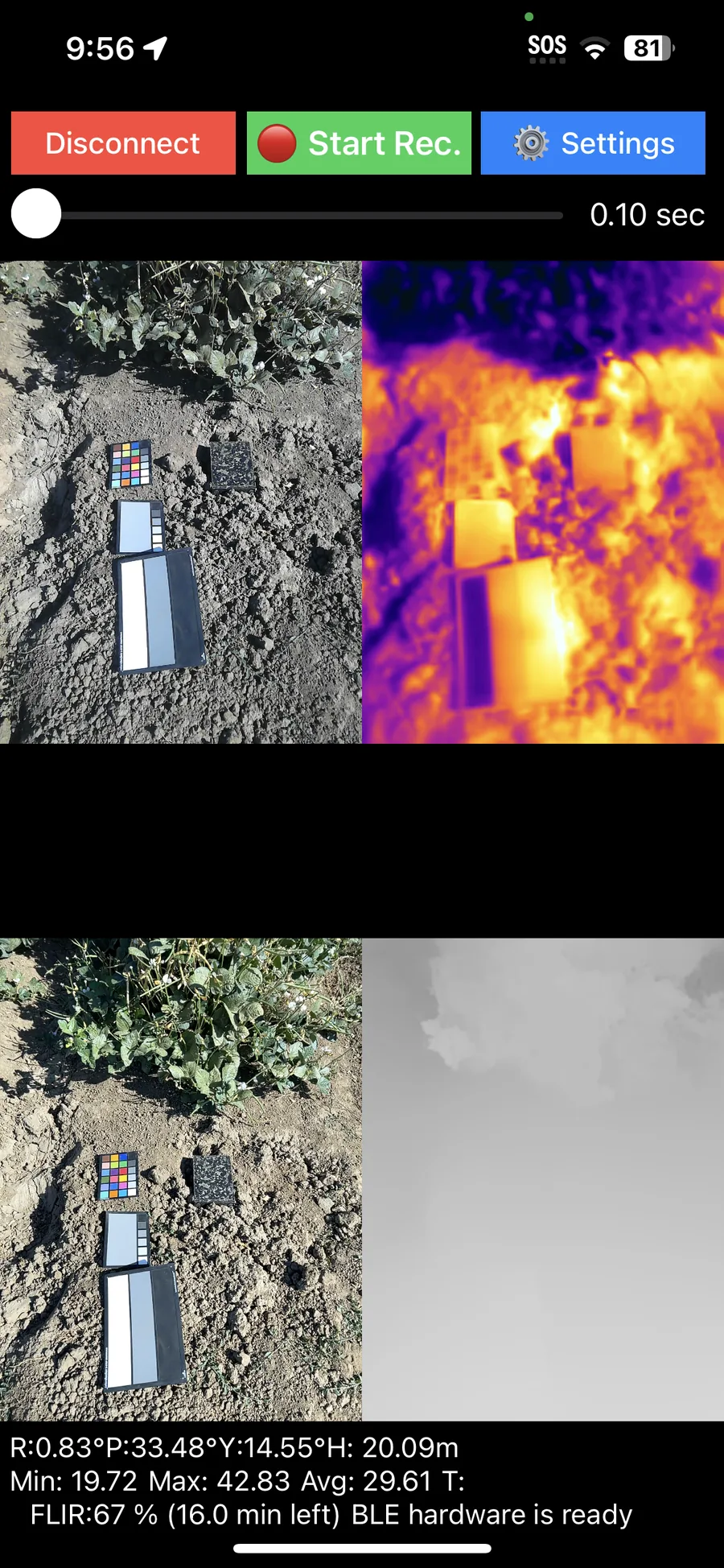
With TestFlight, other team members can collect paired RGB, thermal, depth, and weather data on their own phones, and the files land in a schema the processing scripts already understand.
Notes for next time
Next time I would read the SDK licence before planning a release date, since FLIR’s review applies regardless of App Store Connect. I would also add the app icon and write the privacy policy before starting the submission. Internal TestFlight remains the quickest way to get fixes to testers while the vendor review is pending.
References
- Apple Developer: TestFlight overview (App Store Connect Help)
- Apple Support: Distribute apps to devices in your organization
- Apple Developer: App icon and asset catalog requirements
- Teledyne FLIR: FLIR Mobile SDK License Agreement v1.5 (section 5.1, review and approval)
- Teledyne FLIR: FLIR Technical Support Center, app review and approval process
- Naver Blog: iOS App Store registration and release, 2025
- GitHub Gist: A minimal iOS app privacy policy
- GEMINI Project, UC Davis: projectgemini.ucdavis.edu